
Pick the stanza
The Song pane shows the whole song as it will be sung: every verse and chorus in order, repeats included. The number, the title and a large key badge sit at the top.
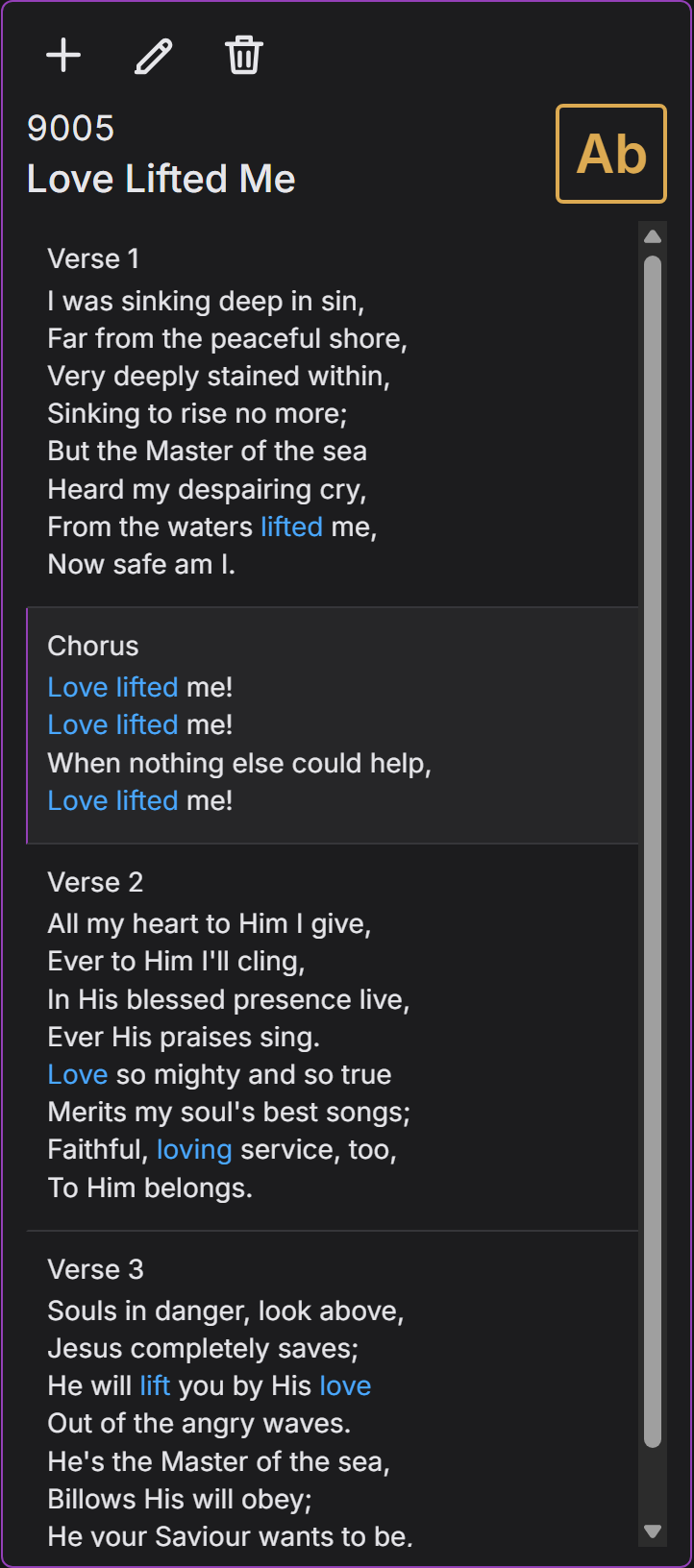
Choose a stanza
- Move with ↑/↓, or click a stanza. The chosen stanza is marked with a bar.
- A song opened from Search shows the words you searched for highlighted.
- Press Enter, or double-click a stanza, to put it on the projector. Preview and go live explains what happens next.
- Esc goes back to the Library without touching the projector.
Choosing the next song while one is live
You can open the next song while the current one stays on the projector. The Song pane shows the new song. The projector doesn't change until you say so.
- Once a song is live, the Song pane has no control of the projector. Enter on one of the live song's stanzas does nothing. Move through it in the Stage instead.
- Enter on a stanza of a different song asks End live mode first. Cancel has the keyboard, so a stray Enter changes nothing. Preview and go live has the steps.